
Introduction
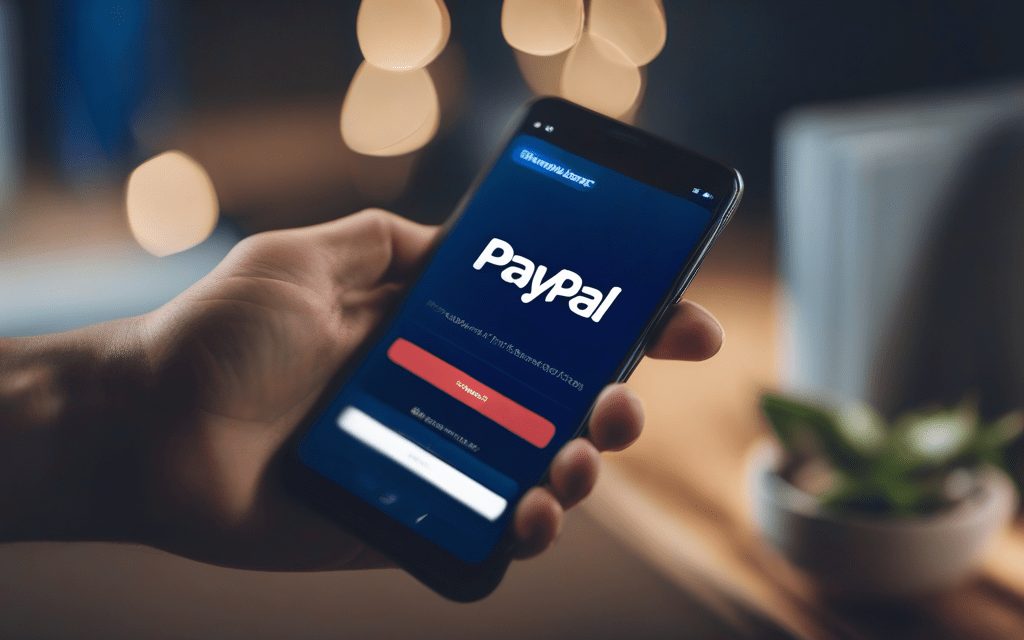
Managing recurring payments is a cornerstone of modern SaaS, membership sites, and digital content platforms. PayPal’s Subscriptions API offers a robust, globally‑trusted solution for creating, updating, and canceling subscription plans without handling sensitive card data directly. When you combine this API with Node.js and serverless cloud functions—such as AWS Lambda, Google Cloud Functions, or Azure Functions—you gain a highly scalable, cost‑effective backend that reacts instantly to user actions and PayPal events. In this article we will walk through the complete workflow: from preparing your development environment, defining subscription products and plans, wiring up serverless endpoints that call PayPal, to securely processing webhook notifications. By the end, you’ll have a production‑ready blueprint for handling recurring payments entirely in the cloud.
Setting Up the Development Environment
Before writing any code, you need a clean Node.js project and the PayPal SDK. Start by initializing a new npm workspace and installing the official paypal-rest-sdk (or the newer @paypal/checkout-server-sdk for v2 APIs). Create a .env file to store your CLIENT_ID and CLIENT_SECRET securely; never hard‑code them. Next, choose a serverless platform and install its CLI (e.g., npm i -g serverless for AWS). Configure the provider’s credentials so that deployment commands can authenticate automatically. Finally, write a small “hello‑world” function and deploy it to verify that the runtime can import the PayPal SDK and read environment variables without errors.
Creating and Configuring a PayPal Subscription Plan
PayPal separates the concept of a product (the service you sell) from a plan (pricing, billing cycle, trial period). Using the SDK, call POST /v1/catalogs/products to register your product, providing a name, description, and type (e.g., SERVICE). Then, define one or more plans with POST /v1/billing/plans, specifying:
- billing_cycles: frequency (monthly, yearly), tenure type, and price.
- payment_preferences: auto‑bill outstanding amounts, setup fee, and failure handling.
- taxes: optional tax percentage.
Store the returned plan_id in a database because it will be referenced each time a user starts a subscription. Remember to set the status to ACTIVE; otherwise, PayPal will reject subscription creation attempts.
Implementing Serverless Functions for Subscription Lifecycle
With the plan ready, you need three core endpoints:
- createSubscription: receives a user identifier, calls
POST /v1/billing/subscriptionswith the plan_id**, and returns the approval_url to redirect the customer to PayPal. - captureSubscription: after PayPal redirects back with a
token, invokeGET /v1/billing/subscriptions/{id}to confirm the status and store the subscription_id alongside the user record. - cancelSubscription: allows users to terminate service by calling
POST /v1/billing/subscriptions/{id}/cancelwith a cancellation reason.
Each function should be stateless, read configuration from environment variables, and return JSON responses. Use async/await for clarity, and wrap PayPal SDK calls in try/catch blocks to translate errors into meaningful HTTP status codes.
Handling Webhooks and Secure Validation
PayPal sends asynchronous events—payment succeeded, subscription suspended, or trial ended—via webhooks. Deploy a dedicated serverless endpoint (e.g., /webhook/paypal) that:
- Receives the raw request body and the PayPal-Transmission-Id, PayPal-Transmission-Time, PayPal-Transmission-Sig, and PayPal-Cert-Url headers.
- Calls the
POST /v1/notifications/verify-webhook-signatureAPI to confirm authenticity. - Parses the event_type and updates your database accordingly (e.g., mark a subscription as ACTIVE after BILLING.SUBSCRIPTION.ACTIVATED).
Because serverless functions may scale horizontally, ensure idempotency by checking if an event’s event_id has already been processed. Log every webhook payload for audit trails and debugging.
Testing, Deployment, and Best Practices
Start with PayPal’s sandbox environment: create sandbox client credentials, enable sandbox webhooks, and use test credit cards. Write integration tests that mock the SDK responses and verify that each function returns the correct HTTP codes. When moving to production, switch the SDK base URL, rotate secrets, and enable TLS‑only traffic. Additional best practices include:
- Setting short timeout values on HTTP calls to avoid hanging functions.
- Using a dedicated secret manager (AWS Secrets Manager, GCP Secret Manager) instead of plain
.envfiles. - Implementing exponential back‑off for transient PayPal errors.
- Monitoring function latency and webhook delivery status with the cloud provider’s observability tools.
Once tests pass, deploy the stack with a single command (e.g., serverless deploy) and verify that the end‑to‑end flow—from plan creation to subscription cancellation—works flawlessly in the live environment.
Conclusion
Integrating PayPal’s Subscriptions API with Node.js on serverless cloud functions gives you a powerful, low‑maintenance engine for recurring billing. By first establishing a clean development environment, you can safely create products and plans, then expose lightweight functions that handle subscription creation, capture, and cancellation. Secure webhook processing ensures you stay in sync with PayPal’s event stream, while rigorous testing and deployment practices keep your service reliable at scale. Armed with these steps, you can launch a fully automated subscription system that leverages PayPal’s global reach and the elasticity of serverless architecture, delivering a seamless experience for both developers and customers alike.